
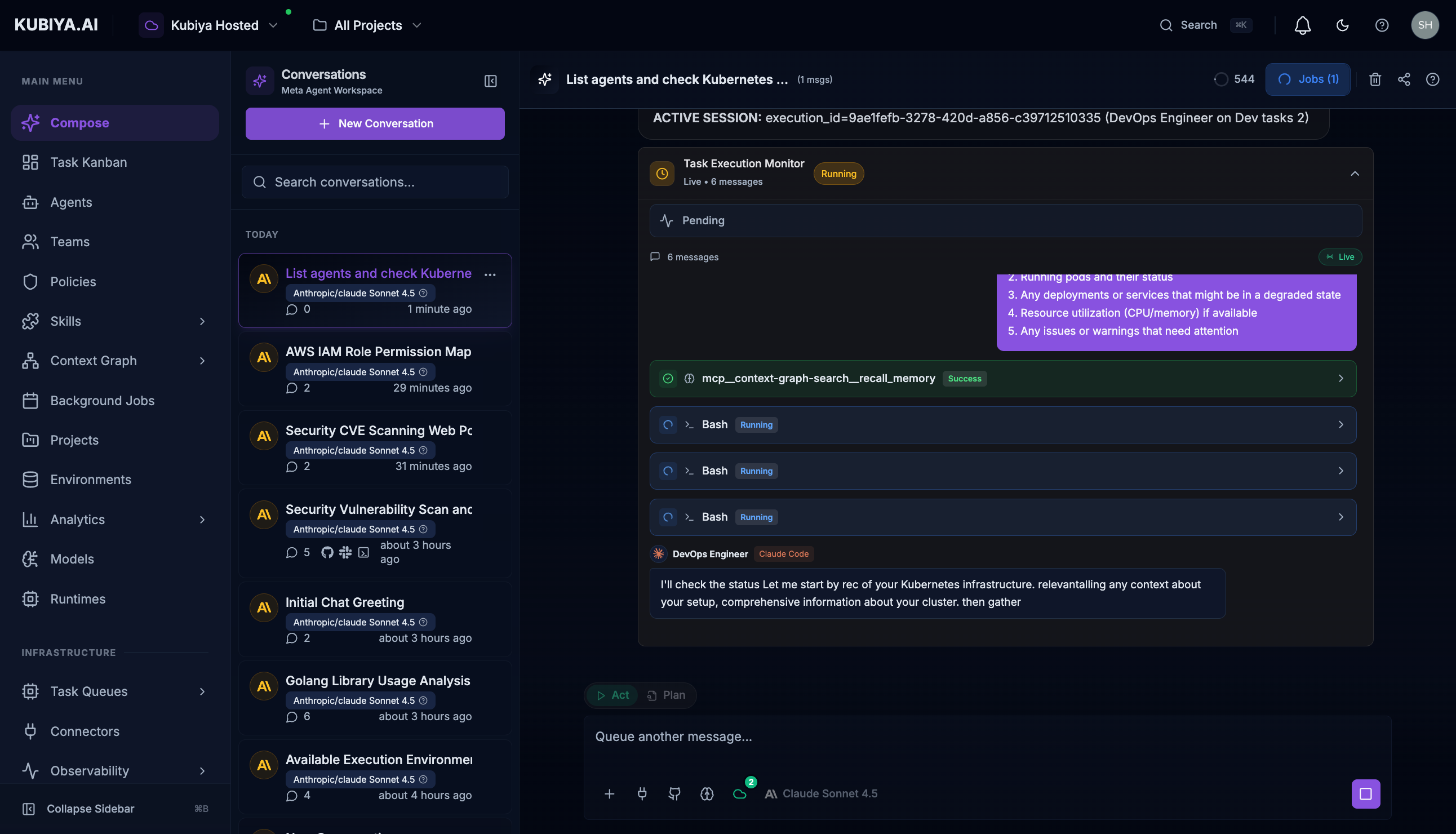
Task Management tools enable the Meta Agent to execute agents on remote workers, create and manage tasks in the Kubiya Kanban board, and schedule background jobs. These tools provide durable task execution that persists across worker restarts and can span multiple compute environments. Meta Agent Task Execution

Agent Execution Tools

The Meta Agent can execute any configured agent on available workers through task queues.
ToolDescription
list_executorsList available agents and teams
list_execution_environmentsList task queues with active workers
execute_agentExecute an agent on a worker queue
get_execution_statusGet real-time execution status
stream_executionStream execution output live

Executing Agents

Execute agents with natural language - the Meta Agent handles routing to the appropriate worker. Example Usage:
"Execute the DevOps agent to check Kubernetes cluster health"
"Run the Security Engineer agent to scan for CVEs"
"Have the SRE agent investigate the production incident"
"Execute the AWS Engineer to list all EC2 instances"

How It Works

  1. List available agents - Meta Agent checks which agents are configured
  2. Find active workers - Identifies task queues with connected workers
  3. Create durable task - Task is persisted and tracked
  4. Route to worker - Task sent to appropriate queue based on environment
  5. Stream results - Real-time output displayed as agent works
  6. Track completion - Execution ID provided for monitoring
Tasks are durable - they persist through worker restarts, network issues, and can be monitored asynchronously. Each execution gets a unique ID for tracking and audit.

Task Tools

ToolDescription
create_taskCreate a new task in the Kanban
update_taskUpdate task status or details
list_tasksList tasks with optional filters
get_taskGet detailed task information
assign_taskAssign a task to an agent or team

Creating Tasks

Create tasks directly from conversation. Example Usage:
"Create a task to update the SSL certificates"
"Add a high-priority task for the security vulnerability fix"
"Create a task and assign it to the DevOps team"
Tasks created through the Meta Agent appear in the Task Kanban board.

Managing Tasks

Update and track task progress. Example Usage:
"Mark the SSL certificate task as complete"
"Move task #123 to In Progress"
"Add a comment to the database migration task"
"What tasks are currently blocked?"

Listing Tasks

Filter and search tasks. Example Usage:
"Show me all open tasks assigned to the Platform team"
"List high-priority tasks due this week"
"What tasks are in the In Progress column?"
"Find all tasks related to security"

Background Jobs

Schedule and manage recurring background jobs.
ToolDescription
list_jobsList scheduled background jobs
create_jobSchedule a new recurring job
get_job_statusGet job execution history
pause_jobPause a scheduled job
resume_jobResume a paused job
Example Usage:
"Schedule a daily backup verification job"
"List all background jobs and their schedules"
"Pause the nightly report job"
"Show me the execution history for the cleanup job"

Workflow Examples

Incident to Task

User: "We found a critical vulnerability in the auth service"
Meta Agent: Creates a high-priority task, assigns to security team,
            and notifies via Slack

Automated Follow-up

User: "Create a task to review the PR once tests pass"
Meta Agent: Creates a conditional task that activates when
            CI/CD status changes

Bulk Task Creation

User: "Create tasks for each item in this migration checklist"
Meta Agent: Parses the checklist and creates individual tasks
            with appropriate assignments