

Example 1: CVE Remediation Workflow
This walkthrough demonstrates the Meta Agent’s end-to-end capabilities by scanning a repository for CVEs and automatically creating a pull request with fixes.Step 1: Enable Connectors
First, enable the connectors you’ll need. Click the connectors menu and enable GitHub and Sandbox: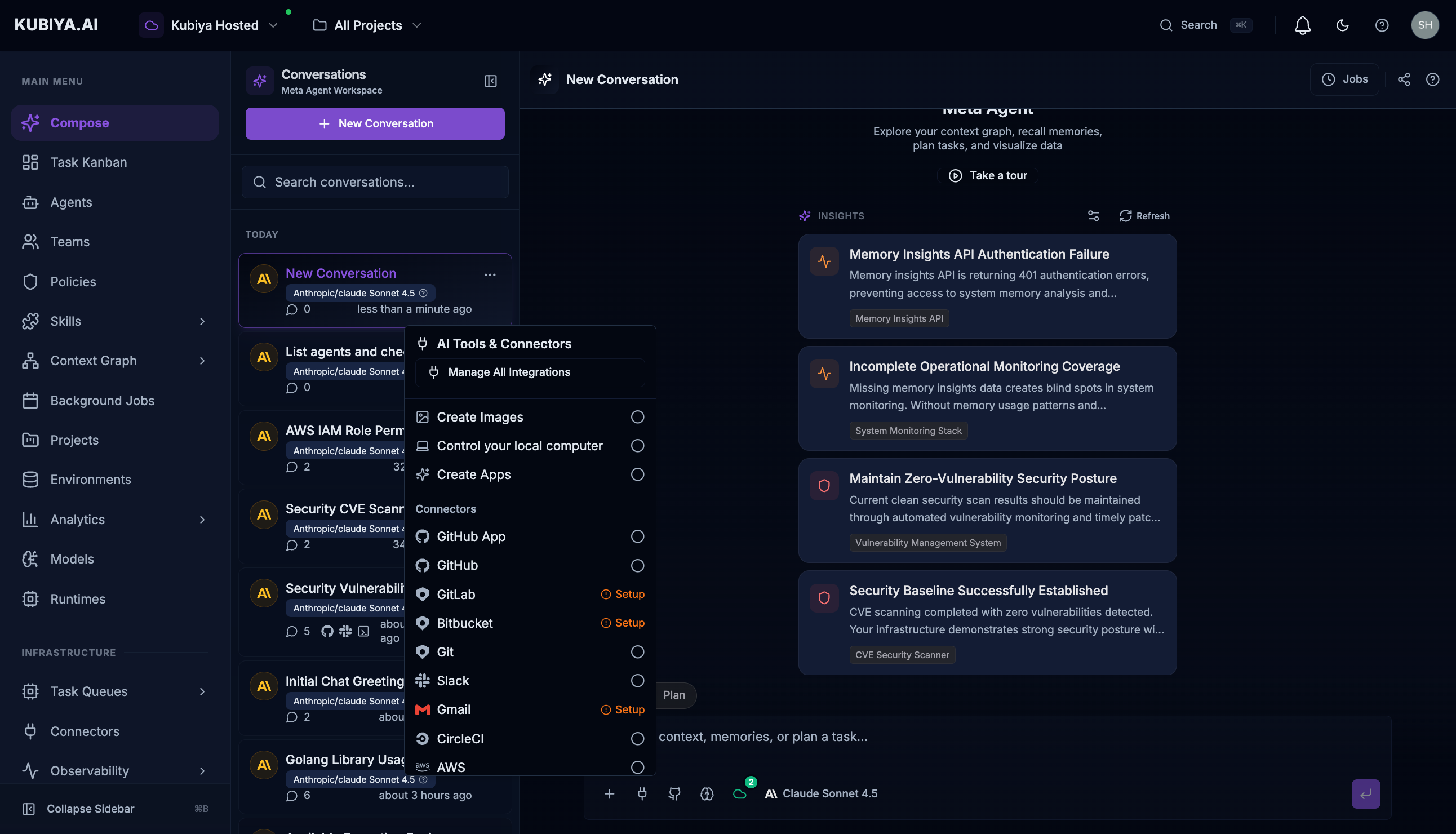
Step 2: Request CVE Scan and Remediation
Enter a prompt asking the Meta Agent to scan for vulnerabilities and fix them:Step 3: Review Results
The Meta Agent will:- Clone the repository in a sandbox environment
- Run vulnerability scanning tools (like Trivy)
- Analyze the results and identify fixable issues
- Generate updated dependency files
- Create a pull request with the remediation
What You Get
- Scan Results - List of vulnerabilities with severity levels
- Remediation Plan - What will be changed and why
- Pull Request - Ready for review with detailed description
- Slack Notification - Optional alert to your team
Example 2: Infrastructure Discovery
Query your infrastructure without writing Cypher:Find Dependencies
- List of dependent services
- Relationship types (CONNECTS_TO, DEPENDS_ON)
- Impact assessment for changes
Permission Analysis
- Role names and ARNs
- Attached policies
- Account breakdown
- Security recommendations
Resource Discovery
- Instance IDs and names
- Associated IAM roles
- Region and account information
- Running status
Example 3: Agent Execution
This example demonstrates executing an agent on a remote worker through Meta Agent’s durable task management.List and Execute Agents
Ask the Meta Agent to list available agents and execute one: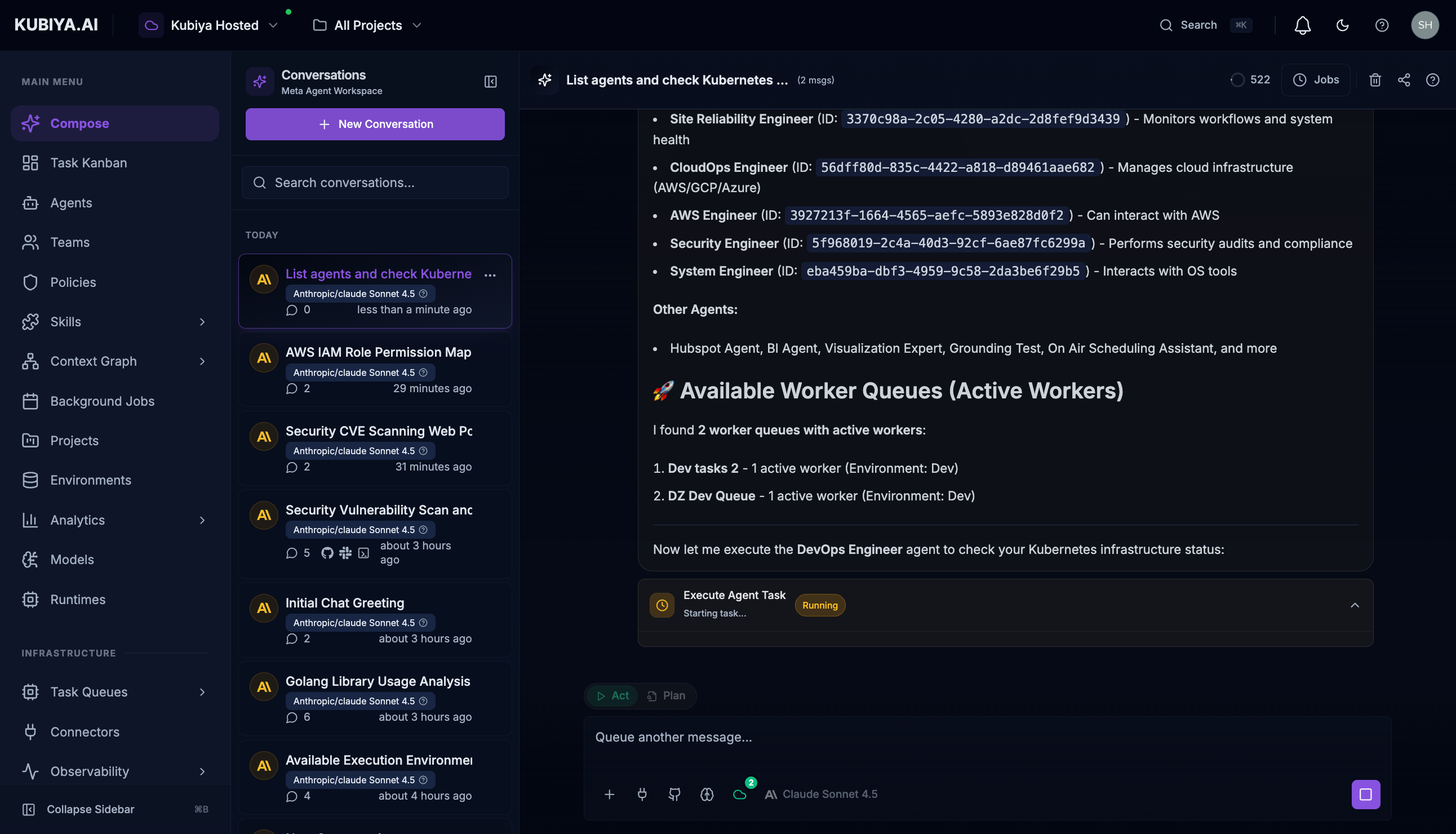
- List all configured agents with their capabilities
- Identify available worker queues with active workers
- Create a durable task and route it to the appropriate queue
- Stream real-time execution output as the agent works
Live Task Execution
Watch the agent execute in real-time with full visibility into tool calls: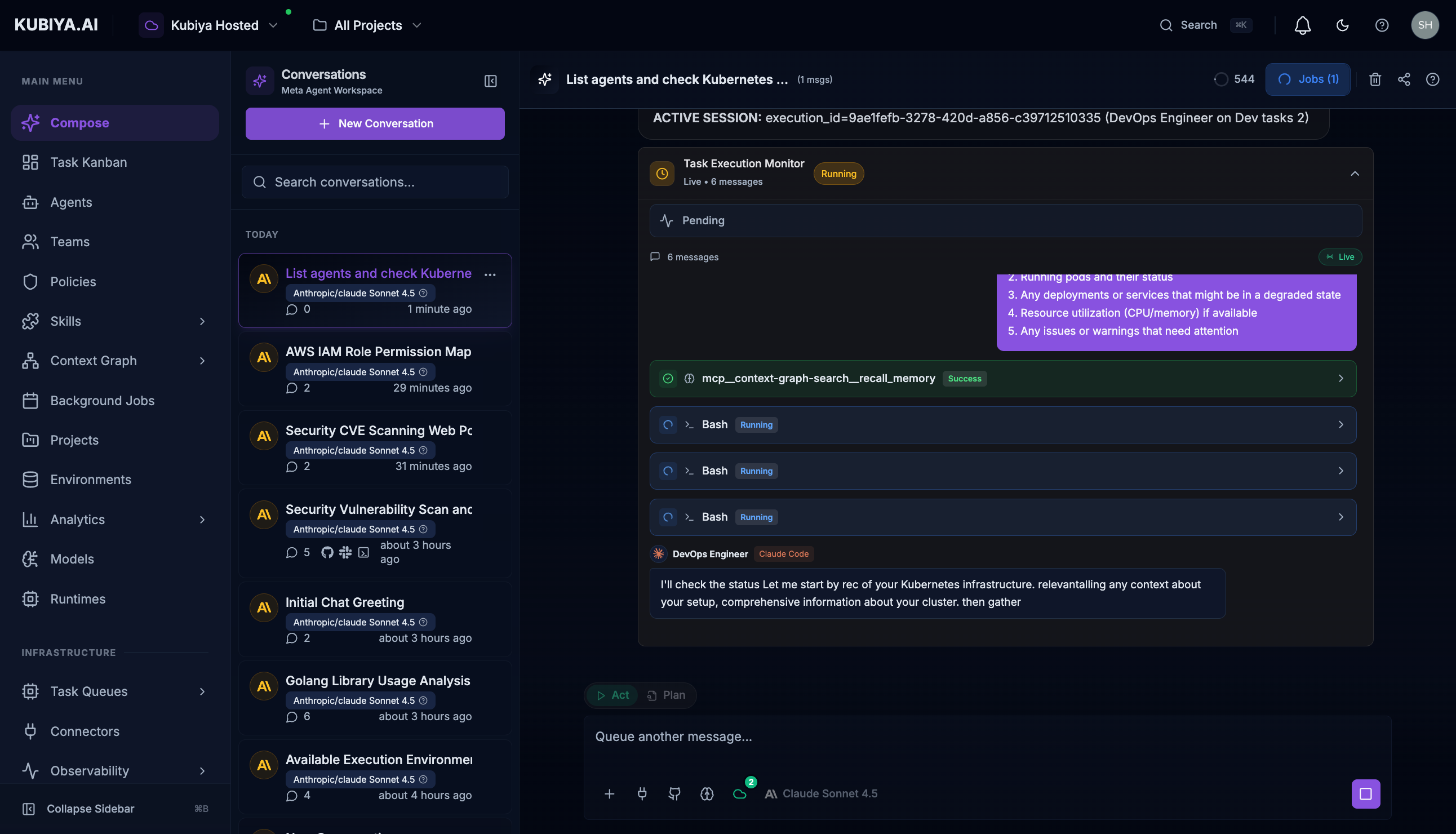
- Task Started indicator with execution ID
- Runtime (Claude Code) and Agent (DevOps Engineer) details
- Worker Queue where the task is executing
- Live message stream showing agent reasoning and tool calls
- Tool execution status (Running, Success, Failed)
Create a New Agent
- Create the agent with specified configuration
- Attach the requested skills
- Assign to the team
- Return the agent details
Example 4: Team Coordination
Create a Team
Check Team Status
Execute Team Workflow
Example 5: Memory and Learning
Query Past Incidents
- Incident summary from cognitive memory
- Root cause analysis
- Remediation steps taken
- Lessons learned
Store New Knowledge
Find Runbooks
Example 6: Background Jobs
Schedule a Job
Check Job Status
Pause/Resume Jobs
Example 7: Cross-Platform Operations
Create Project with Full Setup
- Project creation
- Team assignment
- Background job scheduling
- Slack channel creation (with Slack connector)
- Jira board setup (with Jira connector)
Best Practices
- Be Specific - Include context about what you’re looking for
- Leverage Natural Language - Write as you would explain to a colleague
- Follow Up - Ask clarifying questions based on responses
- Use Suggestions - Act on AI-powered insights for proactive management
- Review Tool Calls - Check which platform resources were accessed
- Enable Appropriate Connectors - Make sure needed integrations are enabled
What’s Next
- Chat Interface - Master the UI controls
- Capabilities - Full capability reference
- Built-in Tools - All available tools