

The Meta Agent has built-in tools for interacting with the Context Graph API. These tools allow it to fetch schema, scan nodes, execute Cypher queries, store relationships, and create new nodes—all through natural language conversation.
Meta Agent Context Graph Tools
The Meta Agent has access to the following Context Graph tools:Use Case 1: AWS IAM Permission Analysis
Understand your AWS IAM permission structure across multiple accounts by querying roles, policies, and their relationships.Example Prompt
What Happens
The Meta Agent executes a series of tool calls:- Fetches Graph Schema - Understands available node types and relationships
- Scans for IAM Nodes - Identifies AWS-related entities
- Executes Dynamic Cypher Queries - Retrieves roles, policies, and their connections
Sample Generated Queries
The Meta Agent dynamically generates queries like:Results
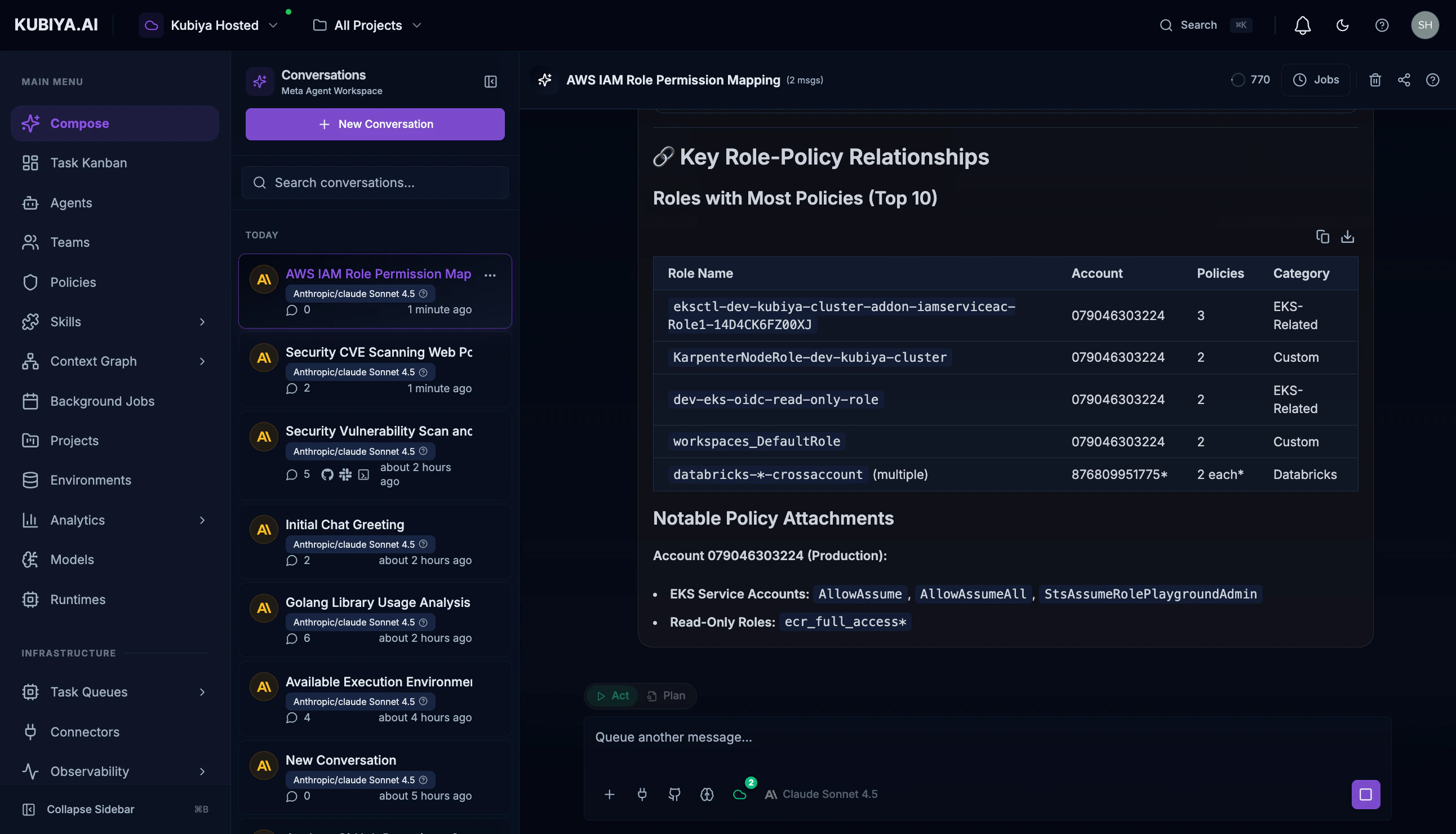
The Meta Agent provides:- Summary statistics - Total roles, policies, and accounts
- Account breakdown - Resources organized by AWS account
- Role categorization - SSO roles, service-linked roles, custom roles
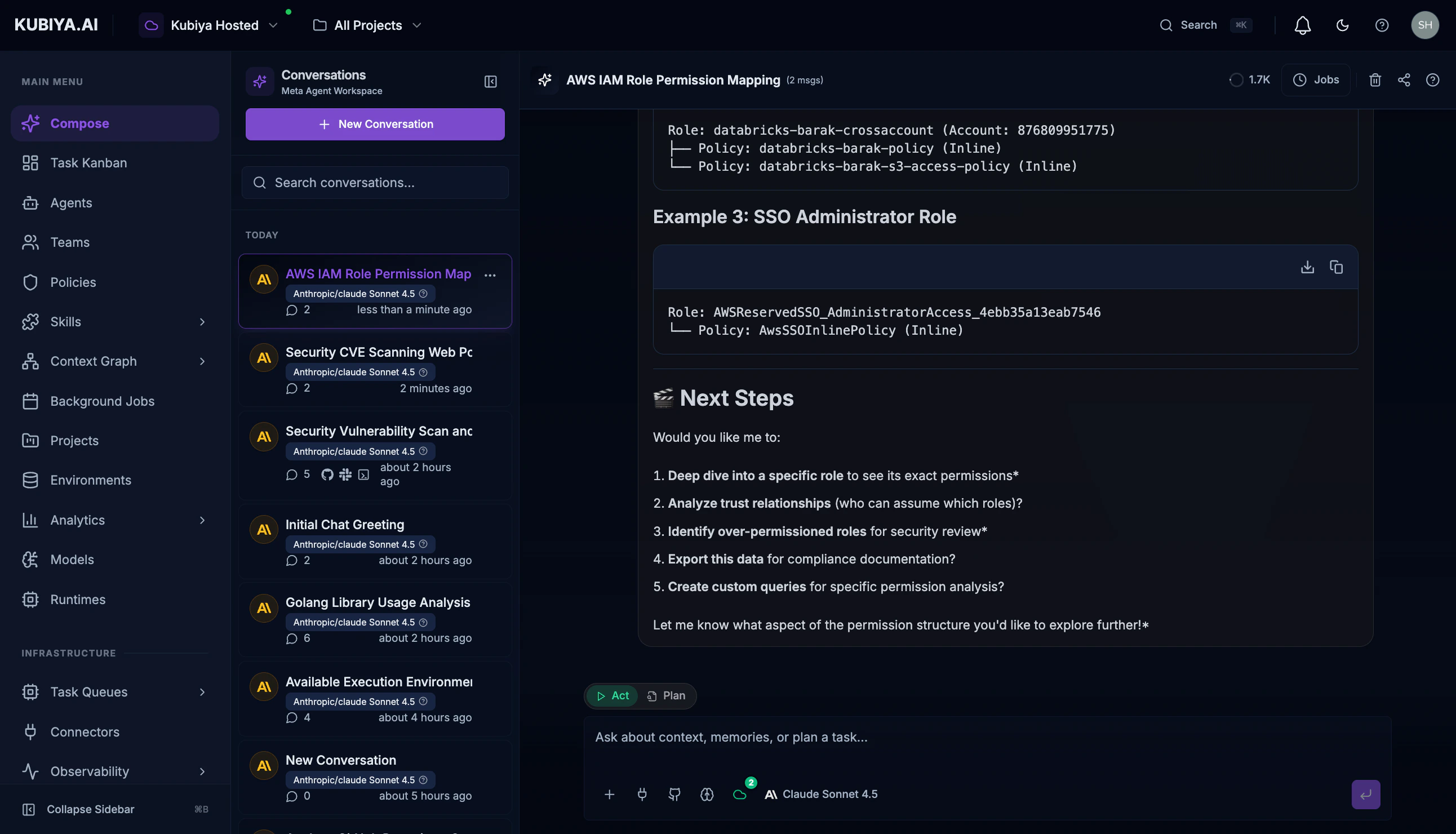
- Visual diagrams - Mermaid charts showing permission structures
Use Case 2: Dependency Impact Analysis
Before making infrastructure changes, understand what resources depend on a specific component.Example Prompt
What Happens
- Identifies the target resource - Finds the user-auth database node
- Traces relationships - Follows DEPENDS_ON, CONNECTS_TO, and USES relationships
- Builds dependency tree - Creates a comprehensive impact map
Sample Generated Query
Use Case 3: Security Vulnerability Correlation
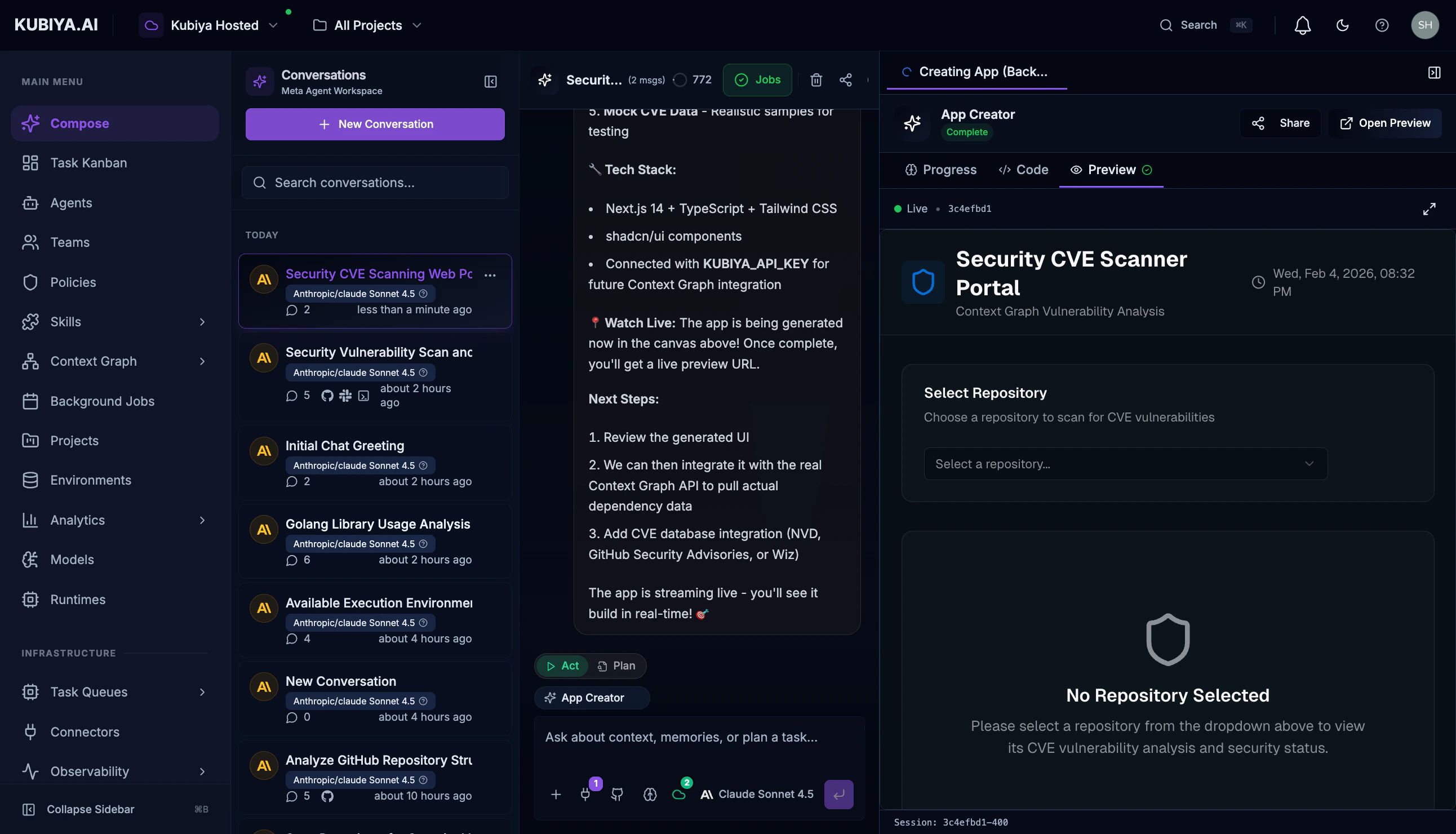
Correlate CVE data with your actual infrastructure to understand real exposure.Example Prompt
What Happens
- Scans for CVE-related nodes - Finds vulnerability records
- Correlates with repositories - Links CVEs to affected code
- Traces to dependencies - Shows which packages introduce vulnerabilities
Sample Generated Query
Use Case 4: Cross-Account Resource Discovery
Find all resources across multiple cloud accounts and understand their relationships.Example Prompt
Sample Generated Query
Use Case 5: Creating Custom Relationships
The Meta Agent can also create new relationships to enrich your graph.Example Prompt
What Happens
- Validates nodes exist - Confirms both resources are in the graph
- Creates relationship - Adds DEPENDS_ON relationship with metadata
- Confirms creation - Returns the new relationship details
Use Case 6: GitHub Repository Analysis
Analyze code repositories, their dependencies, and relationships.Example Prompt
Sample Generated Query
Best Practices
Writing Effective Prompts
Example Good Prompts
- “Show me all Lambda functions and their IAM execution roles in account 123456789”
- “What S3 buckets are accessible from the public internet?”
- “Trace the data flow from our API Gateway to the backend databases”
- “Which Kubernetes deployments use secrets from AWS Secrets Manager?”
What’s Next
- Meta Agent - Learn more about the Meta Agent’s full capabilities
- Graph Visualization - See your infrastructure visually
- Queries - Write Cypher queries directly
- Data Sources - Add more data to your graph