

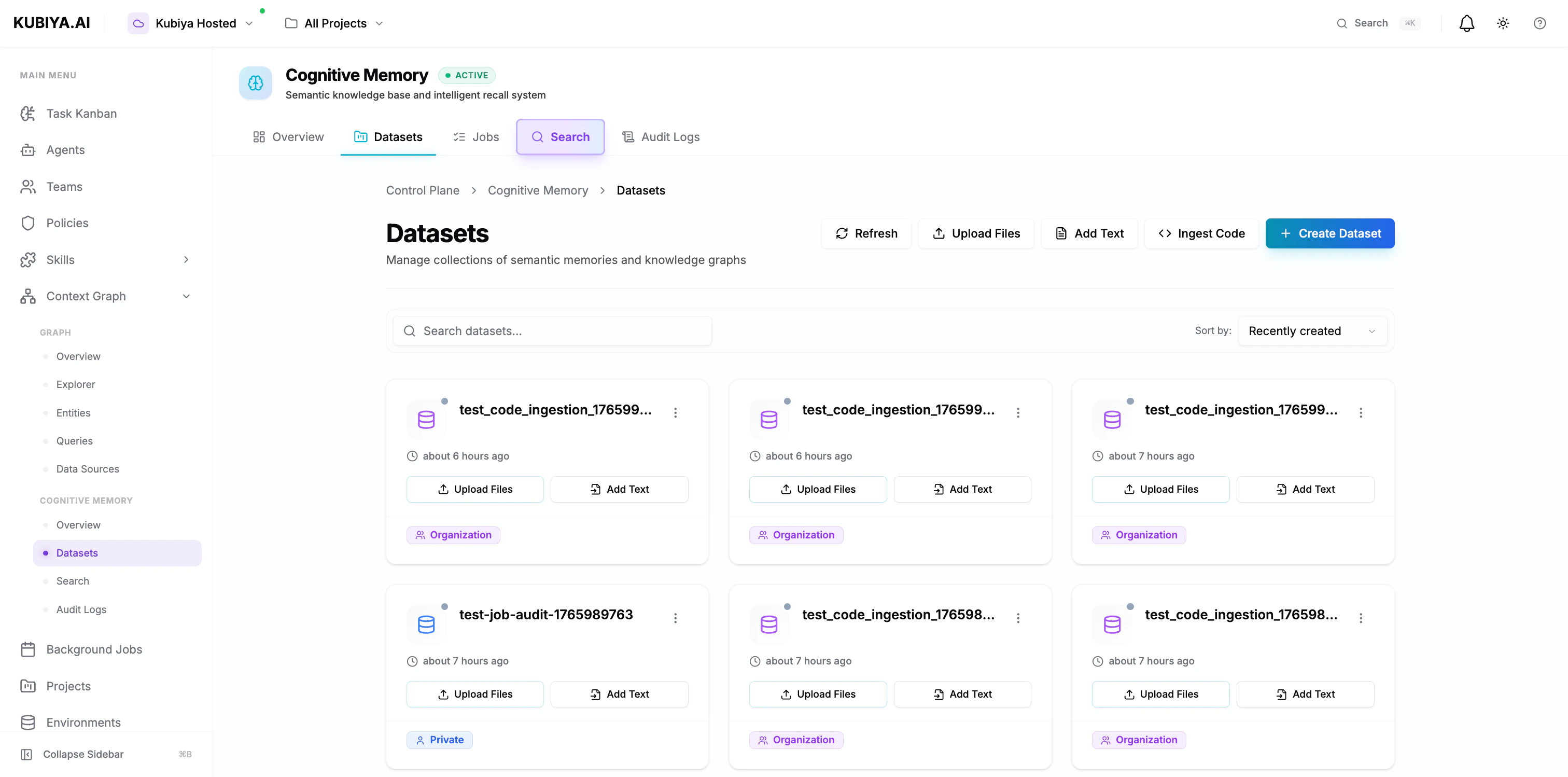
What is a Dataset?
A dataset is a logical collection of memories that share:- Common access controls - Who can read, write, and manage the memories
- Unified scope - Private (USER), shared (ORG), or role-based (ROLE)
- Semantic relationships - Connected knowledge graphs within the collection
- Audit trails - Complete history of operations and agent interactions
Dataset Scopes
Every dataset must have a visibility scope that determines who can access its memories.USER Scope (Private)
Private datasets accessible only to the user or agent that created them. Use cases:- Personal notes and reminders
- Agent-specific learning and context
- Private troubleshooting logs
- Individual experimentation
ORG Scope (Organization)
Shared datasets accessible to all members of the organization. This is the default scope for agents. Use cases:- Team runbooks and procedures
- Shared incident history
- Organizational knowledge base
- Cross-team collaboration
- Agent memory sharing
- Enables knowledge sharing between agents
- Creates collective team intelligence
- Reduces redundant problem-solving
- Builds organizational memory over time
ROLE Scope (Role-Based)
Datasets accessible only to users with specific roles. Use cases:- Security-sensitive procedures
- Department-specific knowledge
- Compliance documentation
- Role-specific workflows
Creating Datasets
Via Composer UI
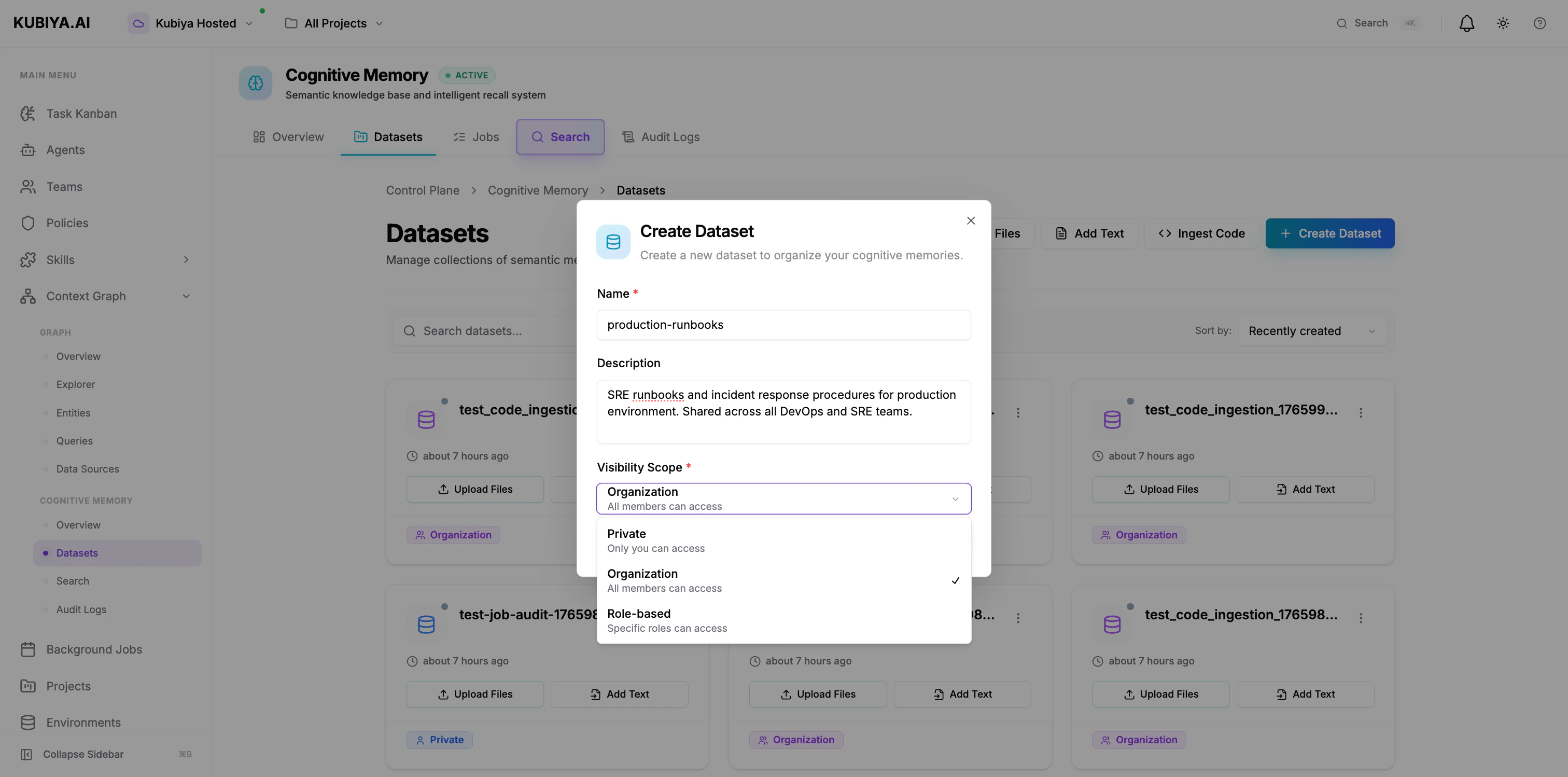
- Navigate to Cognitive Memory → Datasets
- Click Create Dataset
- Configure:
- Name: Clear, descriptive identifier (e.g., “production-runbooks”)
- Description: Purpose and contents
- Visibility Scope: Private, Organization, or Role-based
- Click Create Dataset
Via CLI
Environment-Based Datasets
By default, agents automatically use a dataset named after their execution environment.How It Works
When an agent executes in an environment:- Agent checks for environment variable:
KUBIYA_ENVIRONMENT - Uses environment name/slug as dataset name (e.g., “production”, “staging”)
- If dataset doesn’t exist, creates it automatically with ORG scope
- All memory operations use this environment-based dataset
Example Environment Mapping
Benefits of Environment-Based Datasets
Automatic isolation:- Production memories stay in production
- Staging experiments don’t pollute production knowledge
- Development testing is isolated
- All agents in the same environment share knowledge
- Agent A stores finding → Agent B recalls it later
- Collective learning within each environment
- No setup required
- Works out of the box
- Automatic dataset creation
Adding Data to Datasets
Upload Files
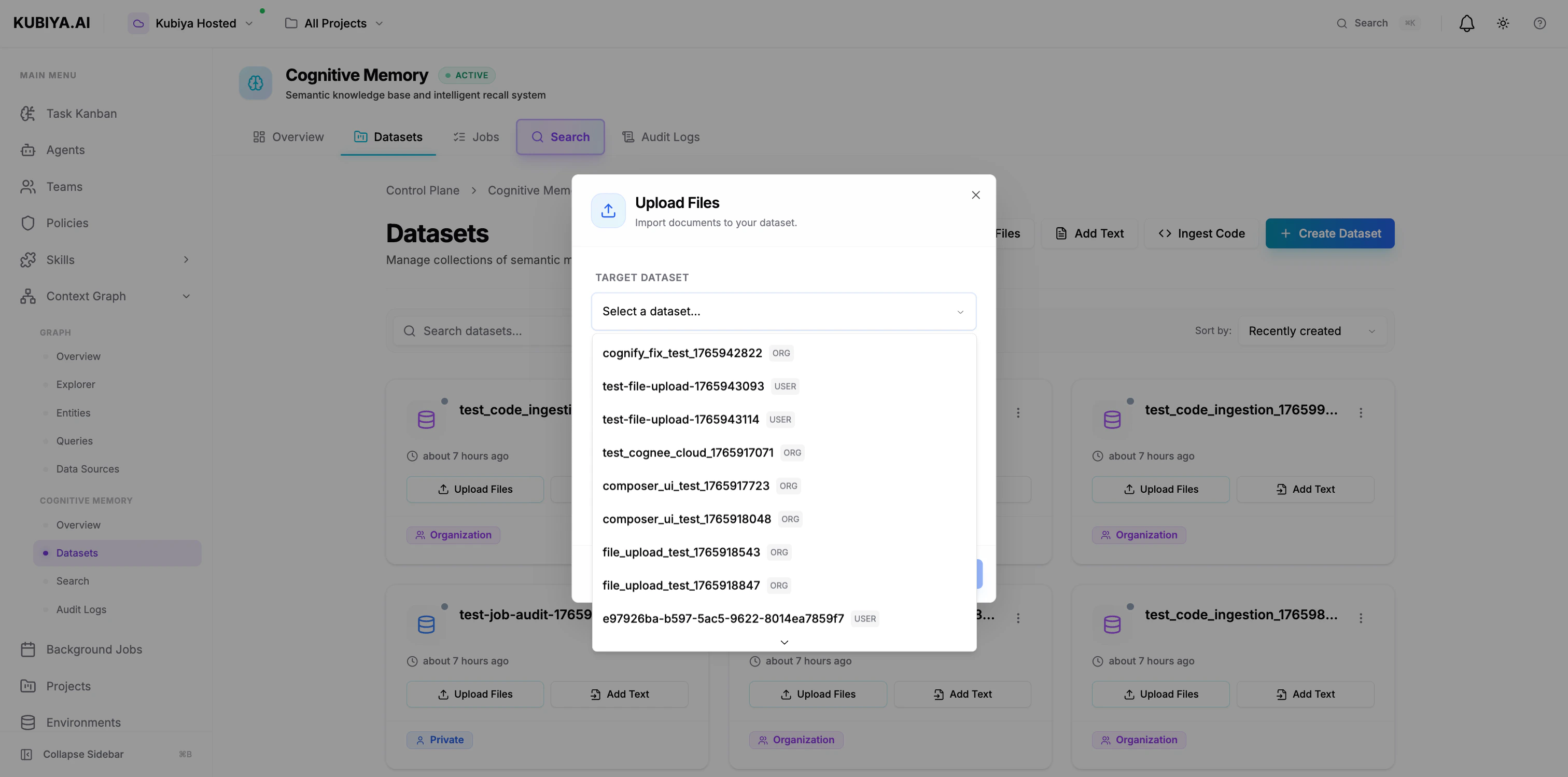
- Click Upload Files
- Select target dataset
- Drag files or click to browse
- Supports: Text, Markdown, JSON, Code (up to 10MB)
Add Text
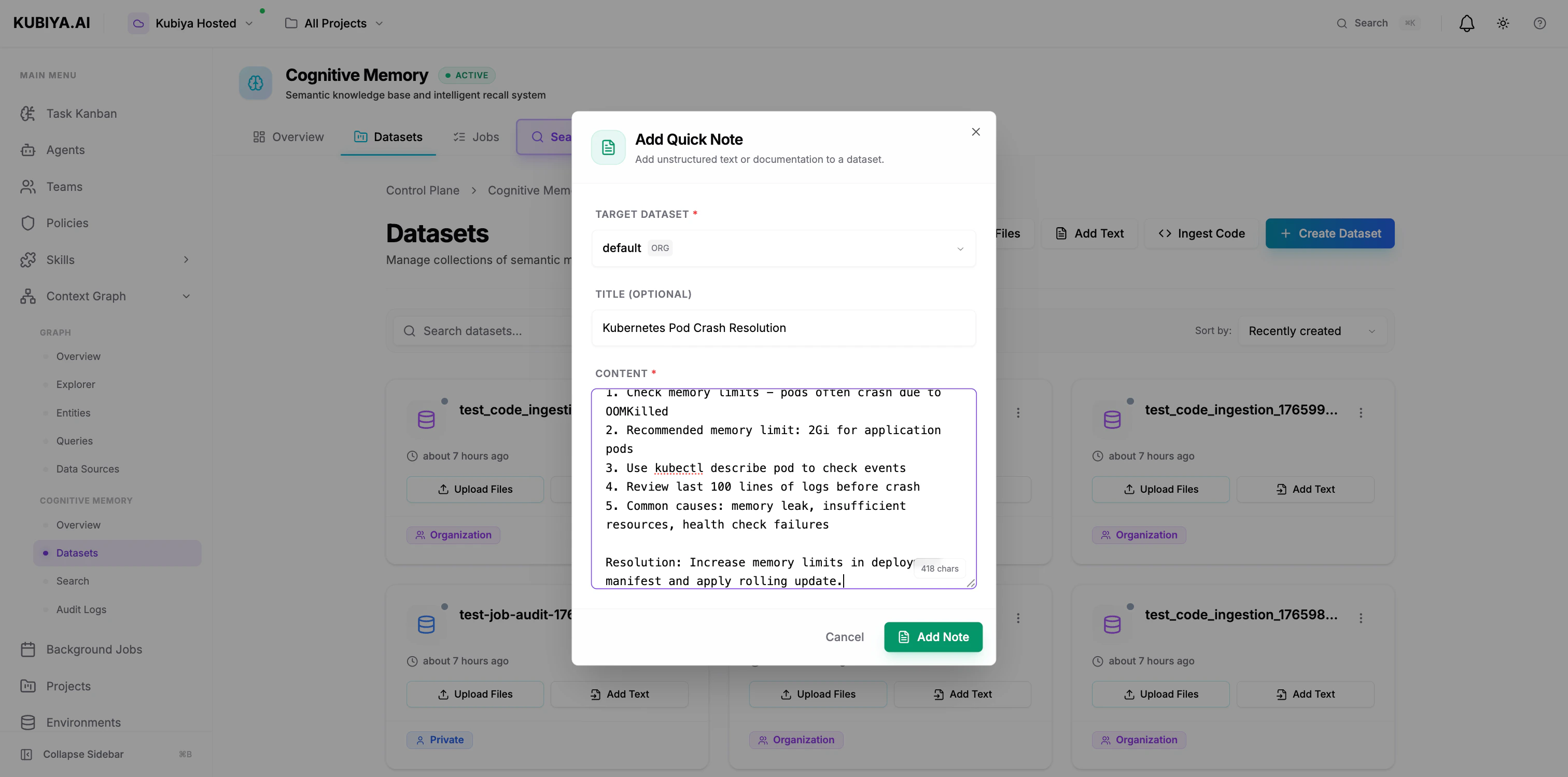
- Click Add Text
- Select target dataset
- Add title (optional) and content
- Click Add Note
Ingest Code
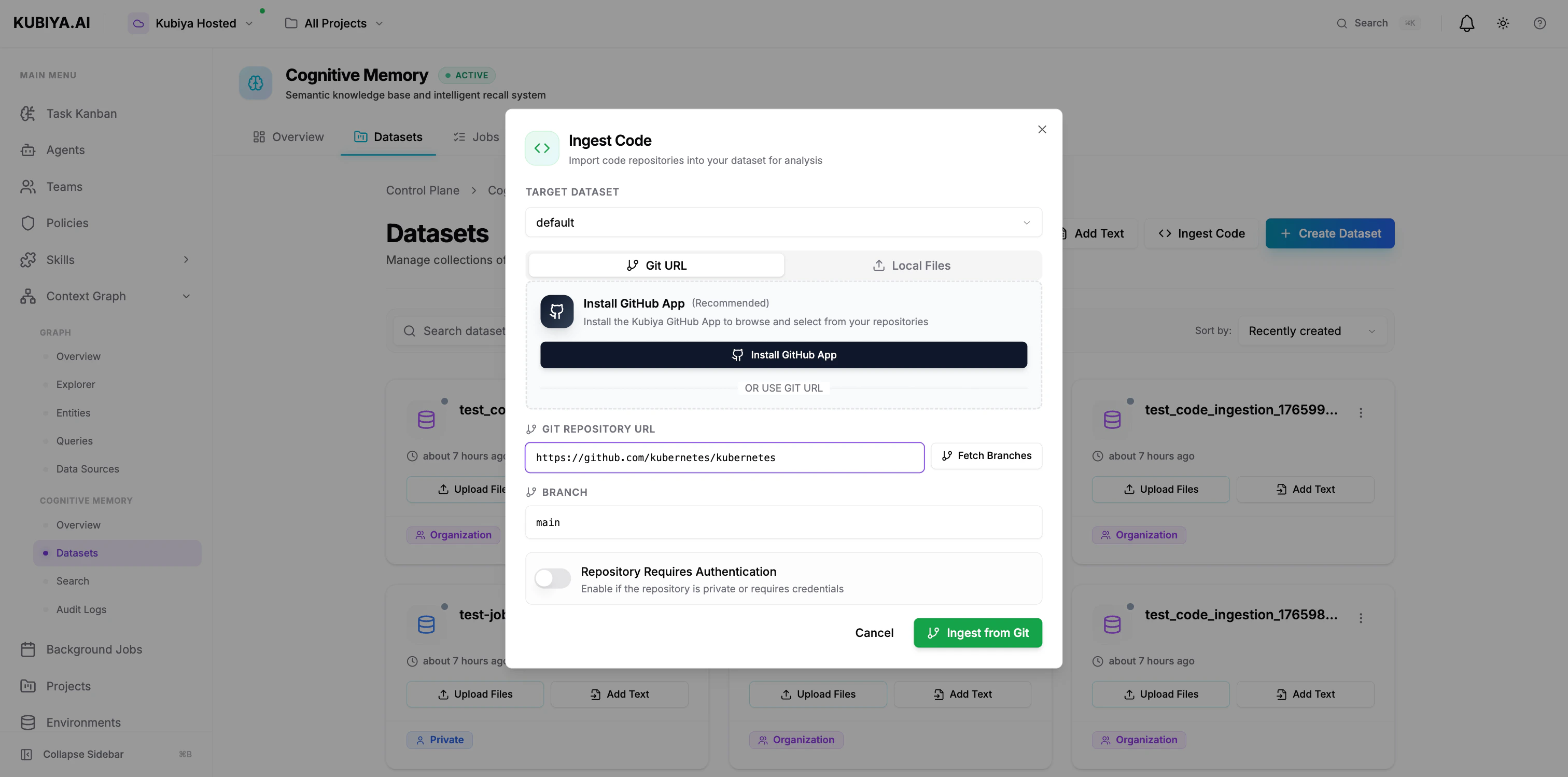
- Click Ingest Code
- Select target dataset
- Enter Git repository URL
- Specify branch (default: main)
- Enable authentication if private repo
- Click Ingest from Git
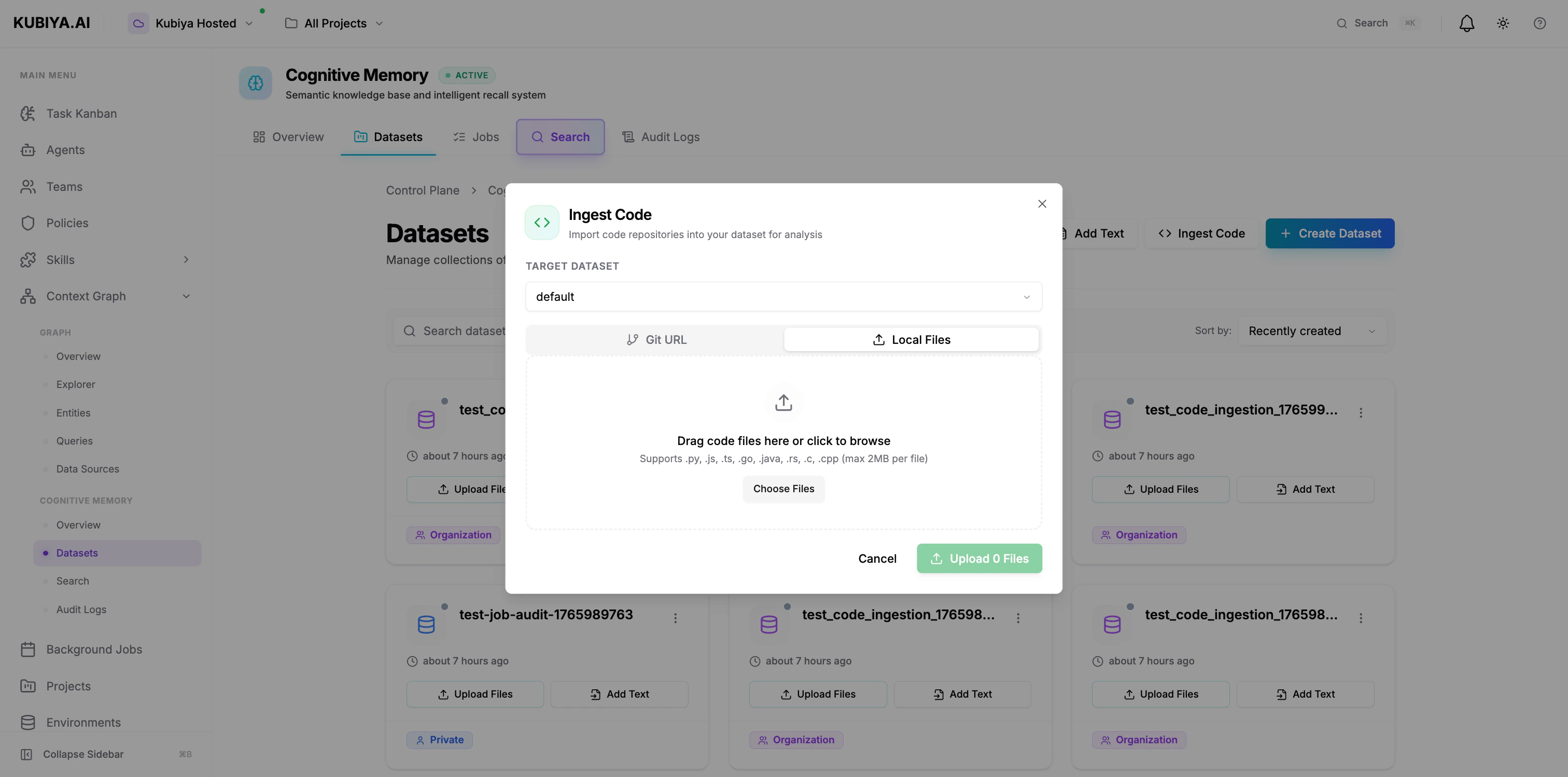
- Click Ingest Code → Local Files tab
- Select target dataset
- Drag code files or click to browse
- Supports: .py, .js, .ts, .go, .java, .rs, .c, .cpp (max 2MB per file)
Knowledge Processing Pipeline
When data is added to a dataset, it goes through the cognitive processing pipeline:- Ingestion - Raw data is stored
- Embedding - Text converted to semantic vectors via LLM
- Entity Extraction - Key concepts, relationships identified
- Graph Construction - Knowledge graph created in Neo4j
- Indexing - Vectors indexed in pgvector for search
- Cognification - Background job processes data into structured knowledge
- Pending: Data uploaded, waiting for processing
- Processing: Cognitive engine analyzing content
- Completed: Ready for semantic search and recall
- Failed: Processing error (check audit logs)
Dataset Operations
List Datasets
View Dataset Details
Delete Dataset
Best Practices
Naming Conventions
- Use kebab-case:
production-runbooks,security-procedures - Include environment or scope:
prod-incidents,staging-docs - Be descriptive:
sre-kubernetes-runbooksvsdocs
Scope Selection
- Default to ORG scope for team collaboration
- Use USER scope only for truly private data
- Reserve ROLE scope for sensitive, compliance-driven content
Dataset Organization
- Group by purpose: runbooks, incidents, procedures, notes
- Separate by environment: production, staging, development
- Divide by team: sre-knowledge, devops-procedures, security-docs
Data Hygiene
- Regular cleanup of outdated memories
- Audit access logs periodically
- Document dataset purpose in description
- Use metadata consistently for filtering
Agent Memory Sharing Example
Here’s how agents share knowledge through organization-scoped datasets: Key benefits:- Agent B doesn’t re-solve what Agent A already fixed
- Organizational knowledge compounds over time
- Audit trail shows which agent solved what
- Team learns collectively
Multi-Tenant Security
Datasets enforce strict multi-tenancy:- Organization isolation - Org A cannot access Org B’s datasets
- User-level filtering - USER-scoped datasets are private
- RBAC enforcement - ROLE-scoped datasets check user roles
- Audit logging - Complete history of all operations
- Data encryption - At rest and in transit
Next Steps
Semantic Search
Learn how to query and recall memories
Context Graph
Explore the broader Context Graph
CLI Reference
Complete CLI command reference
SDK Reference
Python SDK integration guide