

Access
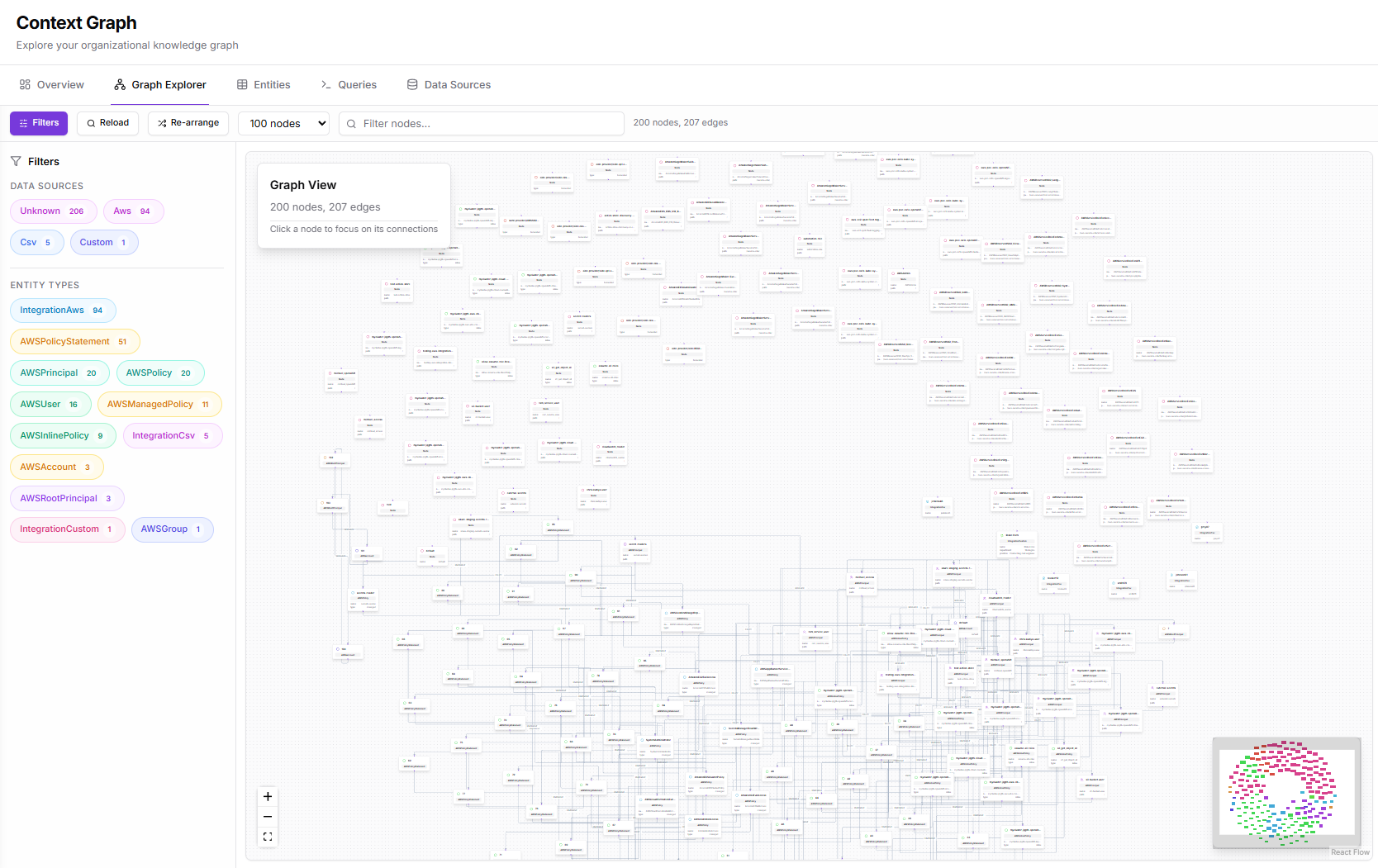
Click Context Graph > Explorer in the sidebar.Interface Layout
Left Panel: Graph Filters
Filter the visible nodes and edges: Data Sources: Filter by where entities originated:- Unknown
- Git
- User
- Test
- Memory
- Verification
- Module
- And more based on your connected sources
- GITHUB_KUBIYA
- GITHUB_SEC_F
- GitHubRepository
- UserAccount
- GitHubUser
- TestNode
- Memory
- AWSInstanceProfile
- And more based on your data
Center Panel: Graph View
The main visualization area shows:- Nodes - Entities represented as circles
- Edges - Relationships shown as connecting lines
- Labels - Entity names and types
- Node count (e.g., “100 nodes”)
- Edge count (e.g., “95 edges”)
Right Panel: Node Details
When you click a node, the detail panel shows:- Entity name and type
- Source information
- Properties and metadata
- Related entities
Navigation Controls
Zoom Controls
Located in the bottom-left:- + Zoom in
- - Zoom out
- Fit Reset view to show all nodes
Pan
Click and drag on empty space to pan the view.Select
Click a node to select it and view its details.Working with the Graph
Filtering
- Check/uncheck data sources to show/hide entities from those sources
- Check/uncheck entity types to filter by type
- Combine filters to focus on specific subsets
Exploring Relationships
- Click a node to select it
- View its connections highlighted
- Click connected nodes to traverse relationships
- Use the detail panel to understand the entity
Finding Specific Entities
Use the search bar at the top:- Enter the entity name or partial match
- Select from suggestions
- The view will focus on that entity
Node Visualization
Nodes are sized and colored based on:- Entity type - Different colors for different types
- Connection count - More connections = larger node
- Importance - Key entities are emphasized
Performance Tips
For large graphs:- Use filters to reduce visible nodes
- Focus on specific data sources
- Limit to relevant entity types
- Use the Entities table for searching large datasets
The explorer limits the visible nodes for performance. Use filters or the search to find specific entities in large graphs.
Export
The graph view supports:- Screenshot export
- Data export via the Queries interface
Related Pages
- Context Graph Overview - Graph metrics dashboard
- Entities - Table view for searching
- Queries - Cypher query interface
- Meta Agent - Natural language graph exploration