

Access
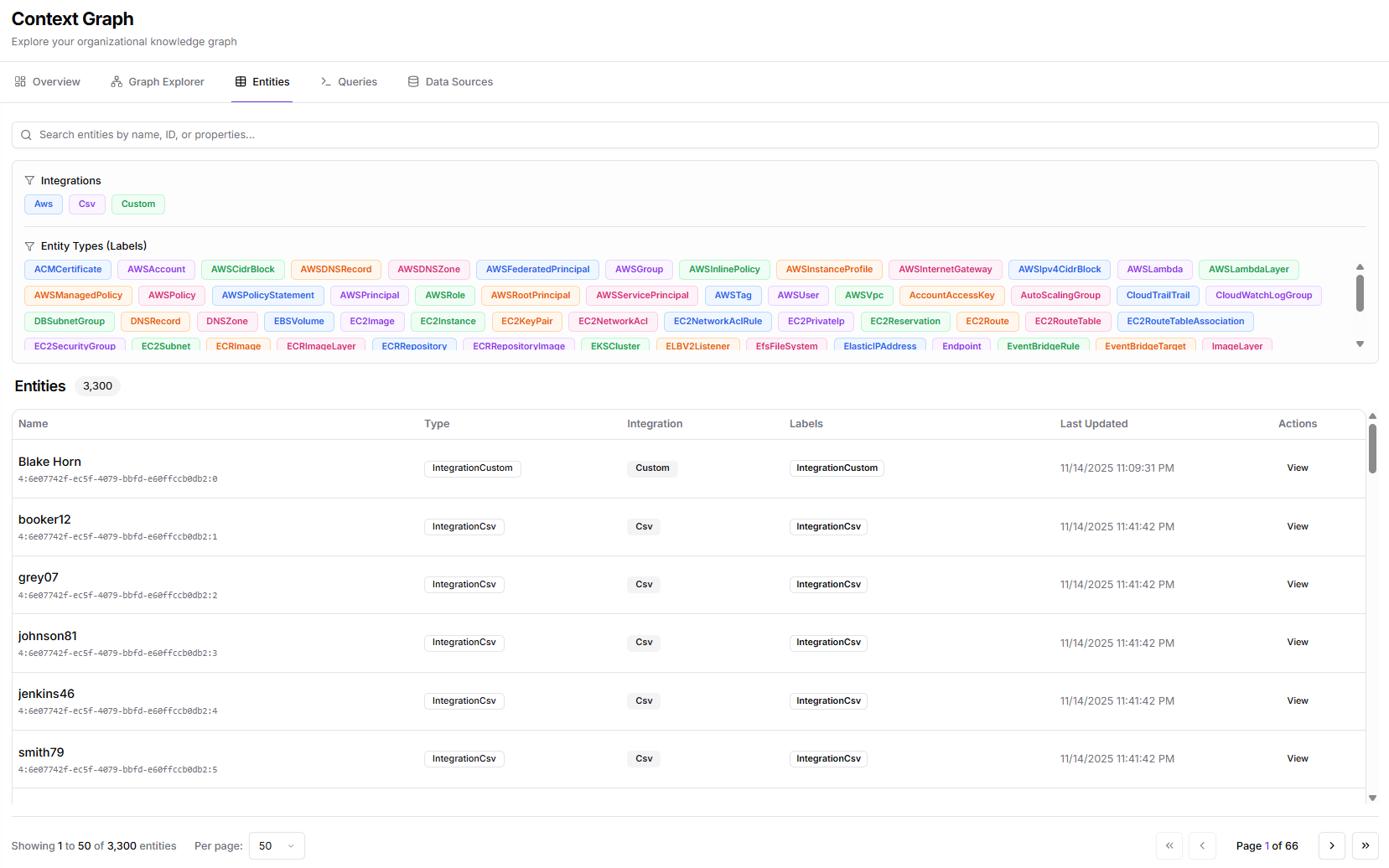
Click Context Graph > Entities in the sidebar.Interface Layout
Toolbar
- Filters button - Toggle the filter panel
- Entity count - Shows “X entities filtered” based on current filters
- Search bar - Search entities by name or property
Filter Panel
The left panel provides filtering options: Data Sources: Filter entities by their source:- Account
- Azure
- Circle
- Cloud
- Dependency
- Dev
- Efs
- Elastic
- Endpoint
- Event
- Git
- Image
- Key
- Launch
- Memory
- Module
- Name
- Network
- And more
Entity Table
The main table displays:Pagination
At the bottom:- Showing X to Y of Z entities
- Per page selector (default: 50)
- Page navigation
Filtering Entities
By Data Source
- Click Filters to show the filter panel
- Check data sources to include
- Uncheck to exclude
By Search
Type in the search bar to filter by:- Entity name
- Entity ID
- Property values
Combined Filters
Filters combine with AND logic:- Source filter AND search text must both match
Entity Details
Click View Details or a row to see:- Full entity properties
- Relationships to other entities
- Source information
- Metadata and timestamps
- Raw JSON representation
Common Entity Types
Sorting
Click column headers to sort:- Click once for ascending
- Click again for descending
- Click a third time to reset
Exporting Data
For bulk data export, use the Queries interface with a Cypher query and export the results.Tips
- Start broad, then narrow - Begin with all entities visible, then apply filters
- Use search for known entities - Faster than scrolling through filters
- Check Last Updated - Identify stale data that needs refresh
- Combine with Explorer - Use the table to find entities, then visualize in Explorer
Related Pages
- Graph Explorer - Visual graph exploration
- Queries - Cypher query interface
- Data Ingestion - Manage data sources