> ## Documentation Index
> Fetch the complete documentation index at: https://docs.kubiya.ai/llms.txt
> Use this file to discover all available pages before exploring further.
# Semantic Search
> Natural language search powered by AI embeddings that understands context and meaning, not just keywords
Semantic Search enables natural language queries across your cognitive memories. Unlike traditional keyword matching, semantic search understands the **meaning** and **context** of your queries, finding relevant information even when exact words don't match.
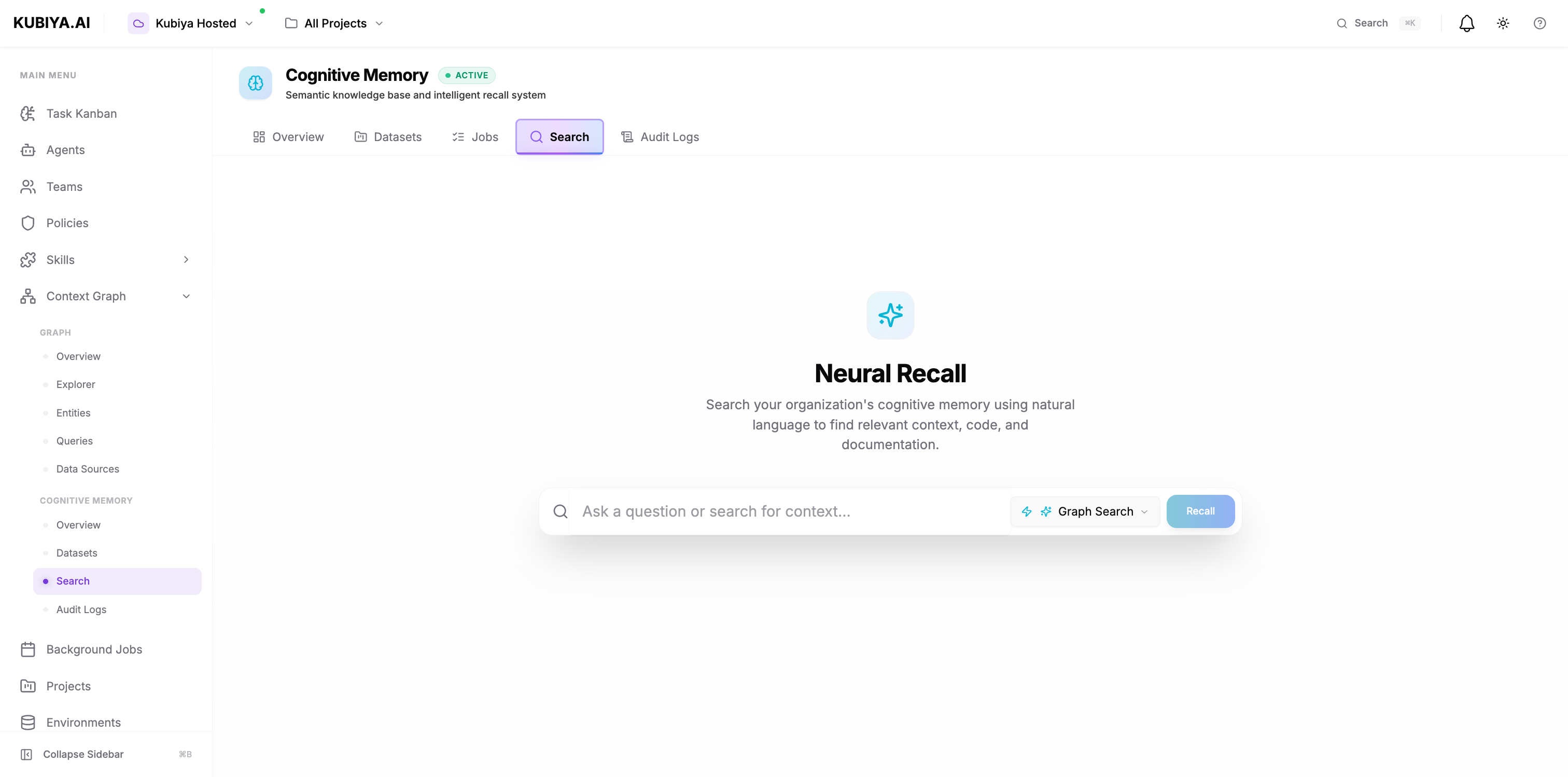 ## **How Semantic Search Works**
### **Traditional Keyword Search vs Semantic Search**
**Keyword search** looks for exact word matches:
```
Query: "pod crash"
Matches: Documents containing exactly "pod" AND "crash"
Misses: "container restart", "service failure", "deployment error"
```
**Semantic search** understands meaning:
```
Query: "pod crash"
Matches:
- "Kubernetes containers failing" (similarity: 0.87)
- "Service restart loop detected" (similarity: 0.82)
- "Deployment rollout errors" (similarity: 0.79)
- "Memory limit OOMKilled" (similarity: 0.75)
```
### **The Semantic Search Pipeline**
```mermaid theme={null}
flowchart TD
Query["🔍 User Query
## **How Semantic Search Works**
### **Traditional Keyword Search vs Semantic Search**
**Keyword search** looks for exact word matches:
```
Query: "pod crash"
Matches: Documents containing exactly "pod" AND "crash"
Misses: "container restart", "service failure", "deployment error"
```
**Semantic search** understands meaning:
```
Query: "pod crash"
Matches:
- "Kubernetes containers failing" (similarity: 0.87)
- "Service restart loop detected" (similarity: 0.82)
- "Deployment rollout errors" (similarity: 0.79)
- "Memory limit OOMKilled" (similarity: 0.75)
```
### **The Semantic Search Pipeline**
```mermaid theme={null}
flowchart TD
Query["🔍 User Query
'kubernetes pod crashes'"]
Embedding["⚡ Query Embedding
LLM converts to vector"]
VectorSearch["🗄️ Vector Similarity Search
PostgreSQL pgvector
Cosine similarity"]
GraphTraversal{"📊 Graph Traversal?
(GRAPH_COMPLETION)"}
FollowGraph["🔗 Follow Relationships
Expand connected knowledge"]
Ranking["📈 Ranking & Scoring
Sort by similarity (0.0-1.0)
Apply metadata filters"]
Results["✅ Return Results
- Content & metadata
- Similarity scores
- Source attribution"]
Query --> Embedding
Embedding --> VectorSearch
VectorSearch --> GraphTraversal
GraphTraversal -->|Yes| FollowGraph
GraphTraversal -->|No| Ranking
FollowGraph --> Ranking
Ranking --> Results
style Query fill:#e8f5e9,stroke:#4caf50,stroke-width:2px
style Embedding fill:#fff3e0,stroke:#f57c00,stroke-width:2px
style VectorSearch fill:#e3f2fd,stroke:#1976d2,stroke-width:2px
style GraphTraversal fill:#f3e5f5,stroke:#9c27b0,stroke-width:2px
style FollowGraph fill:#fce4ec,stroke:#e91e63,stroke-width:2px
style Ranking fill:#fff9c4,stroke:#fbc02d,stroke-width:2px
style Results fill:#c8e6c9,stroke:#66bb6a,stroke-width:2px
```
## **Search Types**
Cognitive Memory supports multiple search strategies:
### **CHUNKS (Default)**
Basic semantic search returning matching content chunks.
**Best for:**
* Quick lookups
* Specific fact retrieval
* Simple Q\&A
### **GRAPH\_COMPLETION**
Traverses the knowledge graph to find connected entities and relationships.
**Best for:**
* Understanding context
* Discovering related concepts
* Following relationship chains
* Returns direct matches plus related entities (services, databases, configs)
### **TEMPORAL**
Time-aware search that considers when memories were created.
**Best for:**
* Recent incidents
* Historical analysis
* Trend identification
* Returns only memories within specified time range
### **FEEDBACK**
Learns from user interactions and feedback to improve results.
**Best for:**
* Personalized search
* Iterative refinement
* Learning user preferences
* Improves results based on relevance feedback
### **RAG\_COMPLETION**
Retrieval-Augmented Generation: Combines search with LLM generation.
**Best for:**
* Answering questions with citations
* Summarizing multiple sources
* Generating reports from knowledge
* Returns LLM-generated answer plus source citations
## **Understanding Similarity Scores**
Similarity scores range from 0.0 (no match) to 1.0 (perfect match).
| Score Range | Interpretation | Action |
| --------------- | ------------------- | ----------------------- |
| **0.90 - 1.00** | Highly relevant | Direct answer/solution |
| **0.80 - 0.89** | Very relevant | Strong candidate |
| **0.70 - 0.79** | Relevant | Worth considering |
| **0.60 - 0.69** | Moderately relevant | May contain useful info |
| **\< 0.60** | Low relevance | Likely not helpful |
## **Search via CLI**
```bash theme={null}
# Basic search
kubiya cognitive memory search "how to troubleshoot pod crashes"
# Search in specific dataset
kubiya cognitive memory search "database performance tuning" --dataset production
# Limit results
kubiya cognitive memory search "api errors" --limit 5
```
## **Agent Memory Recall**
Agents automatically use semantic search when recalling memories:
```mermaid theme={null}
sequenceDiagram
participant Agent as 🤖 Agent
participant Search as 🔍 Semantic Search
participant Dataset as 📊 production
Dataset
Agent->>Search: recall_memory()
"how did we fix database
connection timeout?"
Search->>Search: Convert query to embedding
Search->>Dataset: Vector similarity search
in environment dataset
Dataset-->>Search: Top 5 matching memories
with similarity scores
Search-->>Agent: Results:
1. [0.91] "Increased max_connections..."
2. [0.87] "Added connection pooling..."
3. [0.83] "Timeout fixed by tuning..."
4. [0.78] "DB restart resolved timeout"
5. [0.72] "Network issue caused timeouts"
Agent->>Agent: Apply most relevant solution
(increase max_connections)
style Agent fill:#e8f5e9,stroke:#4caf50,stroke-width:2px
style Search fill:#fff3e0,stroke:#f57c00,stroke-width:2px
style Dataset fill:#e3f2fd,stroke:#1976d2,stroke-width:2px
```
**Behind the scenes:**
1. Agent's `recall_memory()` method calls semantic search
2. Searches in environment-based dataset (e.g., "production")
3. Returns memories from same org (shared knowledge)
4. Agent uses results to inform next actions
## **Search Best Practices**
### **Query Formulation**
**Good queries:**
* ✅ "how to increase kubernetes pod memory limits"
* ✅ "common causes of database connection timeouts"
* ✅ "steps to debug api gateway 502 errors"
**Poor queries:**
* ❌ "error" (too vague)
* ❌ "fix it" (no context)
* ❌ "kubernetes" (too broad)
**Tips:**
* Use natural language questions
* Include context and specifics
* Describe the problem, not just keywords
* Mention relevant systems/services
### **Result Evaluation**
1. **Check similarity scores** - Prefer results ≥ 0.70
2. **Review metadata** - Filter by relevant tags
3. **Verify recency** - Older solutions may be outdated
4. **Cross-reference** - Compare multiple high-scoring results
5. **Attribute sources** - Check which agent/user stored it
### **Iterative Refinement**
If results aren't satisfactory:
1. **Start broad**: "deployment issues"
2. **Add specificity**: "kubernetes deployment rollout stuck on pending status"
3. **Apply filters**: Filter by cluster, time range, or metadata
### **Performance Optimization**
**For fast queries:**
* Limit results to 10-20
* Use CHUNKS search type
* Search within specific datasets
**For comprehensive analysis:**
* Increase limit to 50-100
* Use GRAPH\_COMPLETION
* Search across multiple datasets
**For time-sensitive queries:**
* Use TEMPORAL search type
* Apply recent time range
* Filter by recency
## **Common Patterns**
### **Incident Response**
Search for similar past incidents using natural language queries:
* Query: "api gateway 503 errors in production"
* Filter by incident type and severity
* Review resolutions and root causes from high-scoring results
### **Runbook Lookup**
Find relevant procedures and runbooks:
* Query: "how to scale database during peak traffic"
* Search in sre-runbooks dataset
* Apply solutions from similar scenarios
### **Knowledge Discovery**
Explore related concepts using GRAPH\_COMPLETION:
* Discover connections between services, issues, and solutions
* Follow relationship chains to understand dependencies
* Group results by topic or metadata
## **Troubleshooting**
### **No Results Found**
**Possible causes:**
* Dataset is empty or doesn't contain relevant memories
* Query is too specific or uses unusual terminology
* Filters are too restrictive
**Solutions:**
* Broaden your query
* Search across all datasets instead of one
* Remove restrictive filters
* Check if dataset contains relevant memories
### **Low-Quality Results**
**Possible causes:**
* Query is too vague
* Memories lack detail or context
* Need more data in dataset
**Solutions:**
* Make queries more specific
* Add metadata when storing memories
* Use RAG\_COMPLETION for synthesized answers
### **Slow Search**
**Possible causes:**
* Large dataset
* Complex graph traversal
* High result limit
**Solutions:**
* Use CHUNKS search type instead of GRAPH\_COMPLETION
* Lower result limit (10 instead of 50)
* Search within specific dataset instead of all datasets
## **Next Steps**
Learn about dataset organization
Explore the broader Context Graph
Complete CLI command reference
Python SDK integration guide